
GitHub Copilot: Overview and Usage in Visual Studio Code
What Is GitHub Copilot
GitHub Copilot is an AI-assisted coding tool developed by GitHub.
It analyzes code context and predicts likely implementations, providing
inline suggestions while you write code.
Copilot is trained on large datasets of public code repositories hosted
on GitHub.
Large training datasets improve the model's ability to generate useful
and relevant code suggestions.
Official documentation: https://copilot.github.com
Copilot integrates with several editors, including:
- Visual Studio Code
- Neovim
- JetBrains IDEs
- Other supported editors
This article demonstrates usage with Visual Studio Code.
Why Use Copilot
Copilot improves development workflow in several practical ways:
- Faster coding
- Automatically completes repetitive patterns.
- Reduces manual boilerplate.
- Reduced context switching
- Less need to search for examples or documentation.
- Comment‑driven generation
- Writing a descriptive comment can produce working code
suggestions.
- Writing a descriptive comment can produce working code
- Context awareness
- Suggestions adapt to:
- local variables
- function names
- surrounding code structure
- Suggestions adapt to:
- Multi‑language support
- Python
- JavaScript
- Java
- TypeScript
- Go
- and many others
Using Copilot with Visual Studio Code
Prerequisites
Before installing Copilot, ensure the following:
- A GitHub account
- Visual Studio Code installed
Step 1 --- Sign Up for Copilot
Go to:
https://github.com/features/copilot/signup
Notes:
- Access may require approval.
- Activation can take several days.
- GitHub sends an email once Copilot is enabled.
Step 2 --- Install the VS Code Extension
- Open Visual Studio Code
- Navigate to Extensions
- Search for:
<!-- -->
GitHub Copilot
- Install the extension.
- Sign in to your GitHub account when prompted.
After installation, Copilot suggestions will appear automatically while
editing code.
Basic Usage Examples
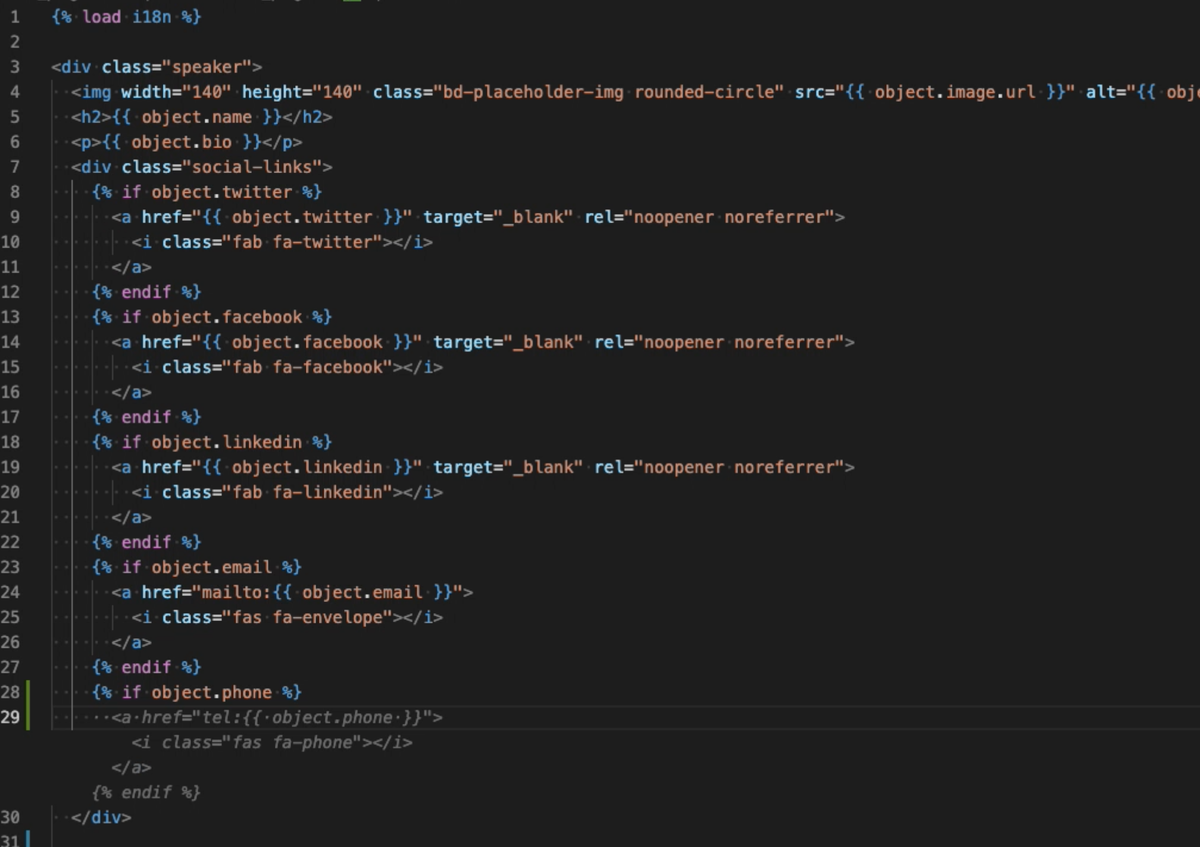
Example 1 --- Autocomplete in a Django Template
Copilot can infer common template patterns and generate expected HTML or
Django template constructs.
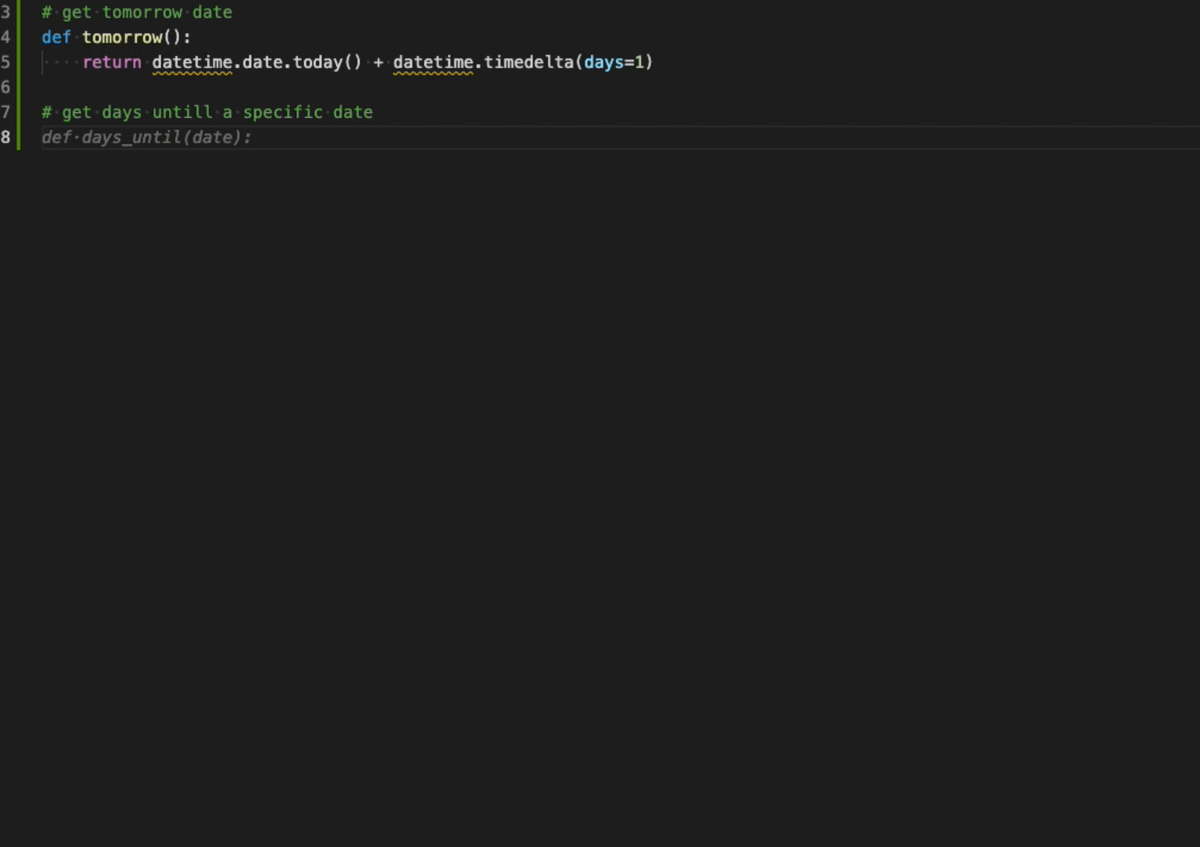
Example 2 --- Generate Code from a Comment
Writing a descriptive comment can trigger Copilot to generate an
implementation.
Example:
# create a function that returns the factorial of a number
Copilot will suggest a matching implementation based on the comment.
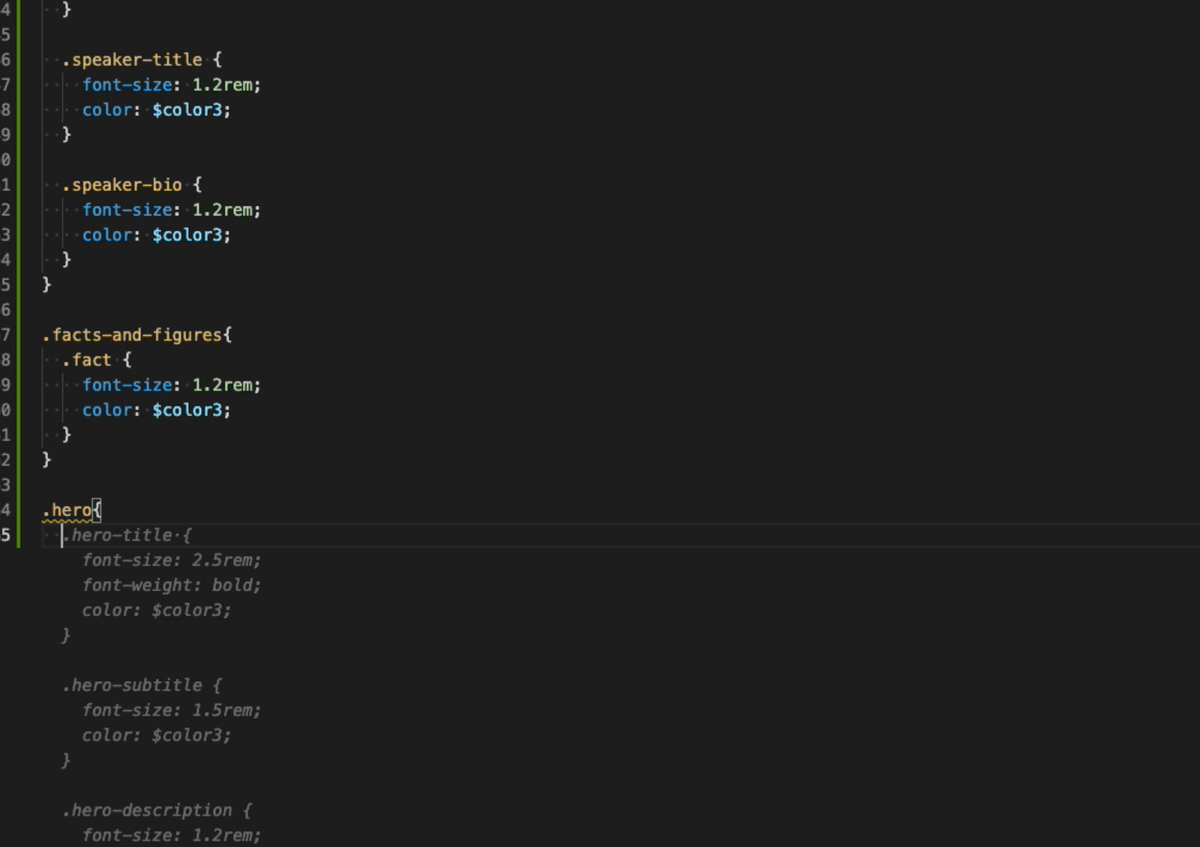
Example 3 --- CSS / Stylesheet Suggestions
Copilot can generate common styling patterns such as layouts, responsive
utilities, or component styles.
Summary
GitHub Copilot functions as a context‑aware code assistant that:
- predicts likely implementations
- accelerates repetitive coding tasks
- generates code from intent expressed in comments
- adapts suggestions to the current codebase
Used correctly, it reduces friction in the development process without
replacing the need for code review and engineering judgment.
Member discussion: